Shopify setup guides
Shipping configuration
Enable shipping
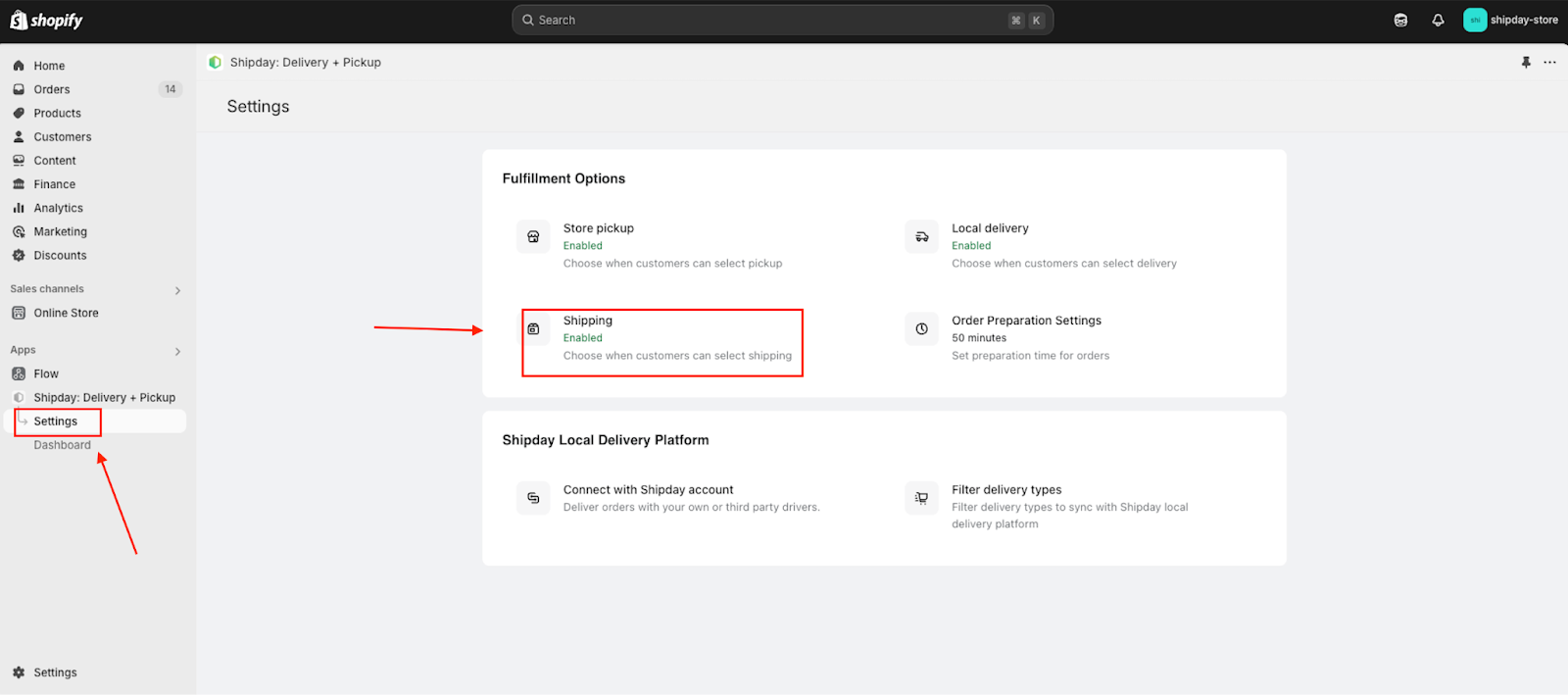
- Click Settings, then Shipping.
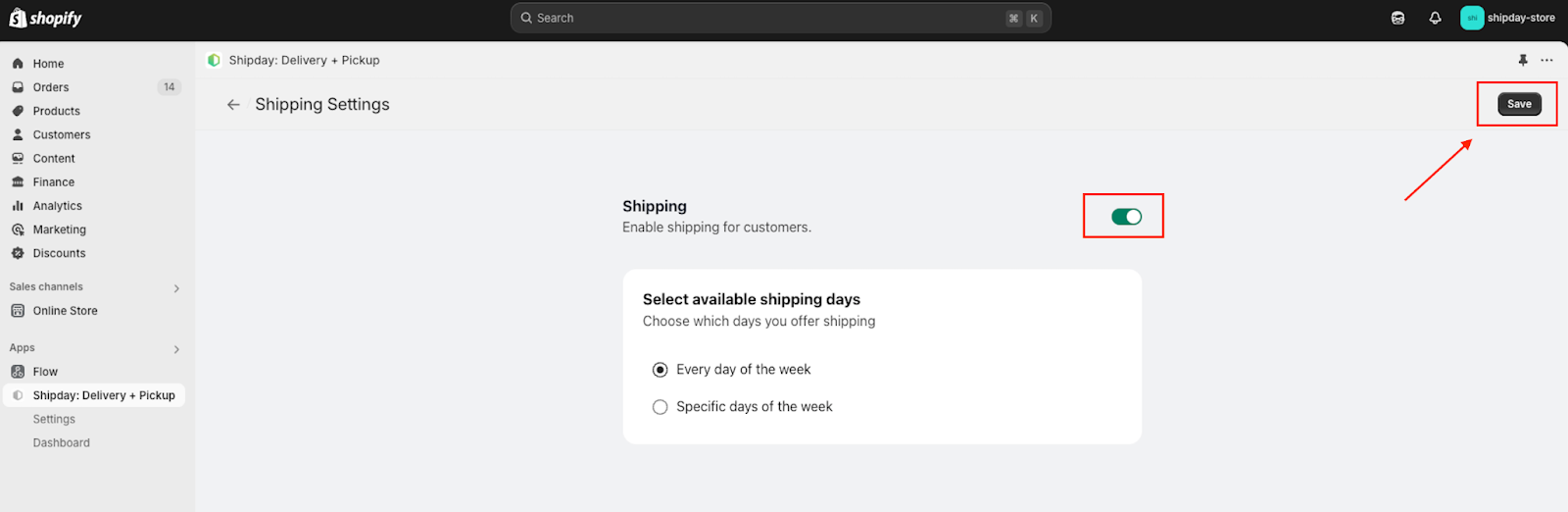
- If shipping is disabled, click on toggle button to enable and click save button at right top corner.
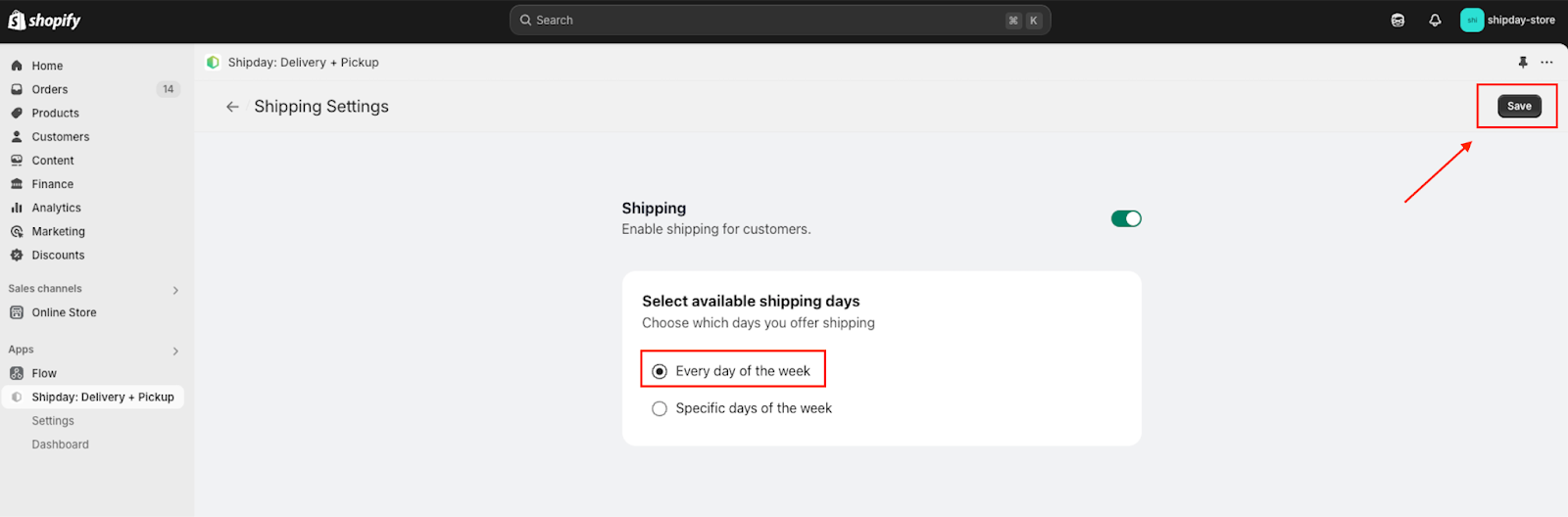
- To enable shipping for everyday select Every day of the week option from the Select available shipping days section and press save at the top right corner.
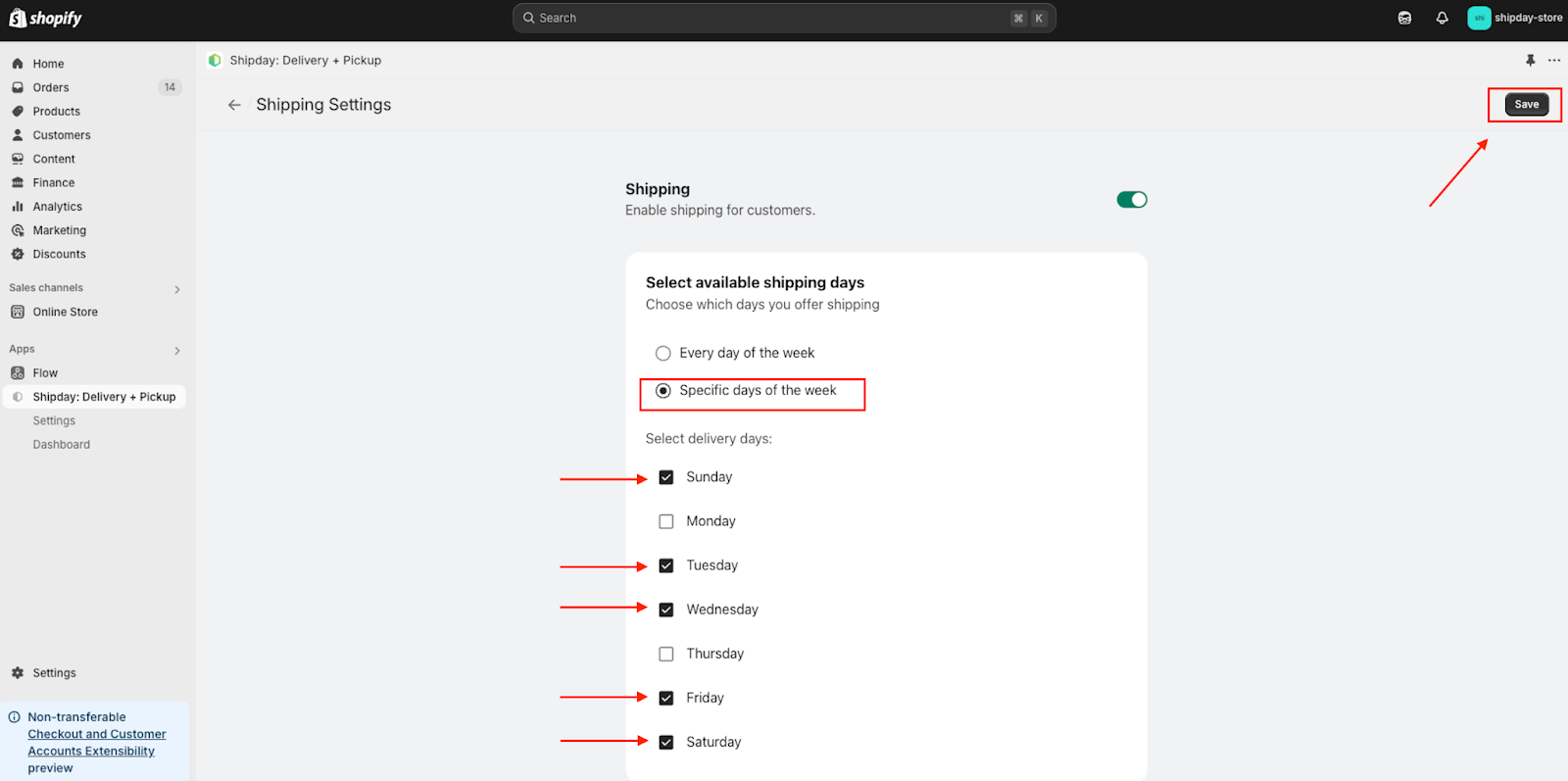
- To enable shipping for specific days select the Specific days of the week option from the Select available shipping days section. Then select specific days of your need from the multi select section and press save at the top right corner.
Need help? Email support@shipday.com