Shopify setup guides
Local delivery configuration
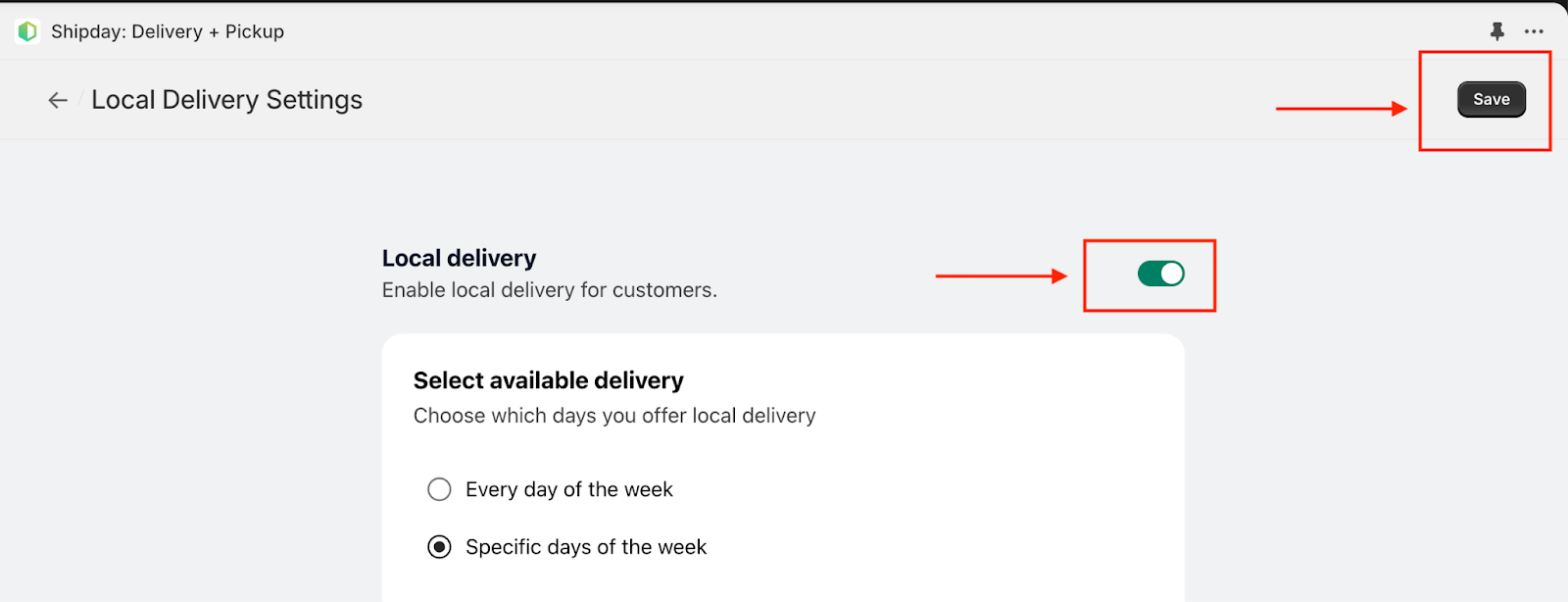
Enable local delivery
- Your local delivery is enabled by default
Available delivery days
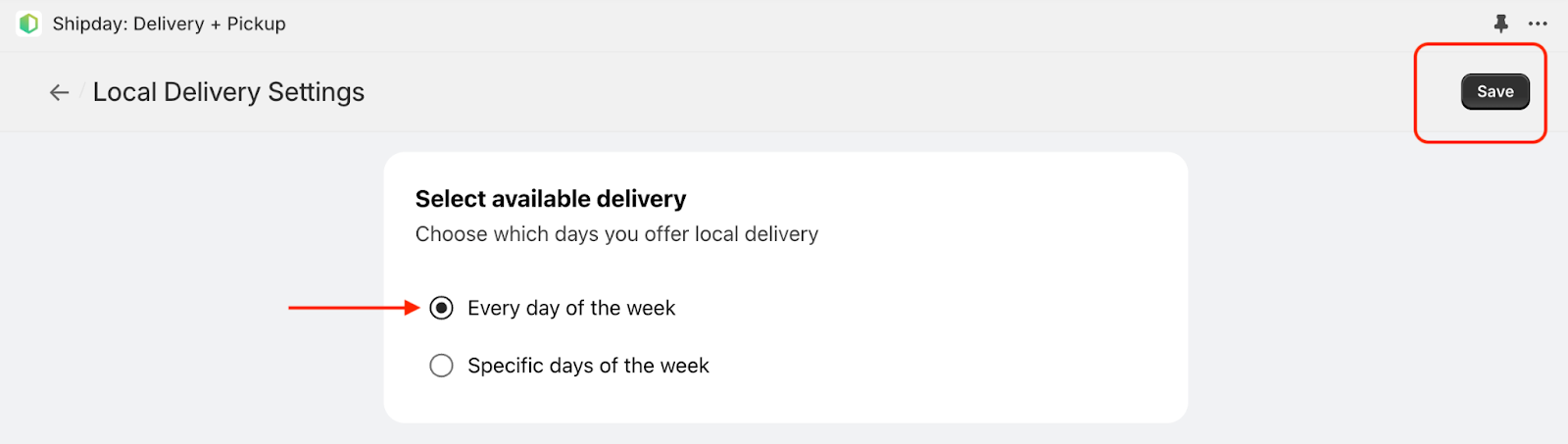
- Every Day: Delivery is available 7 days of the week. Click “Every day of the week” radio button and click Save at right top corner.
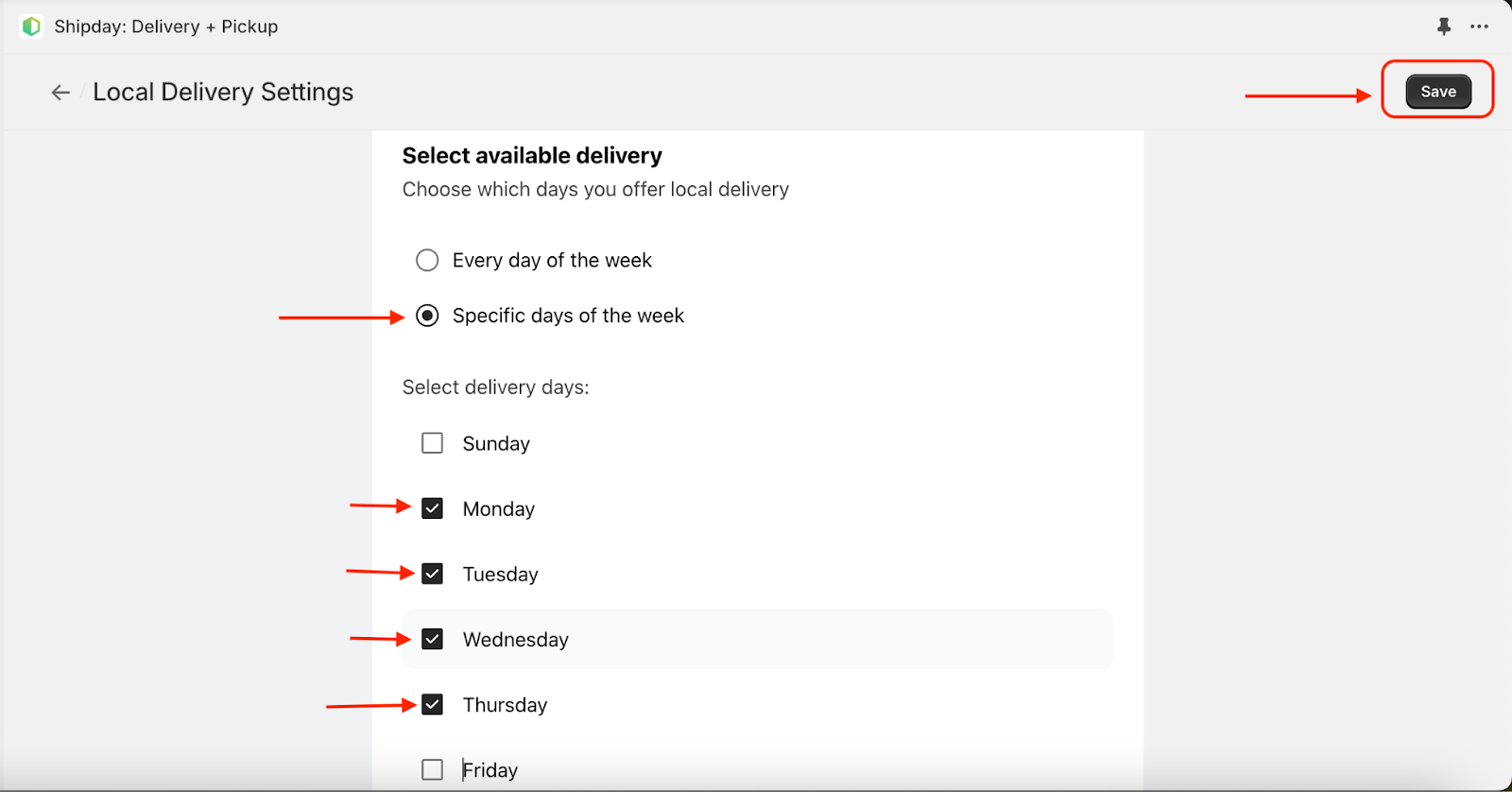
- Specific Days: If you want to enable delivery only on specific days then click “Specific days of the week” radio button and then select delivery days in the checkbox like below:
Delivery slot configuration
Configure your available delivery slots for customers in the checkout process for available delivery days:
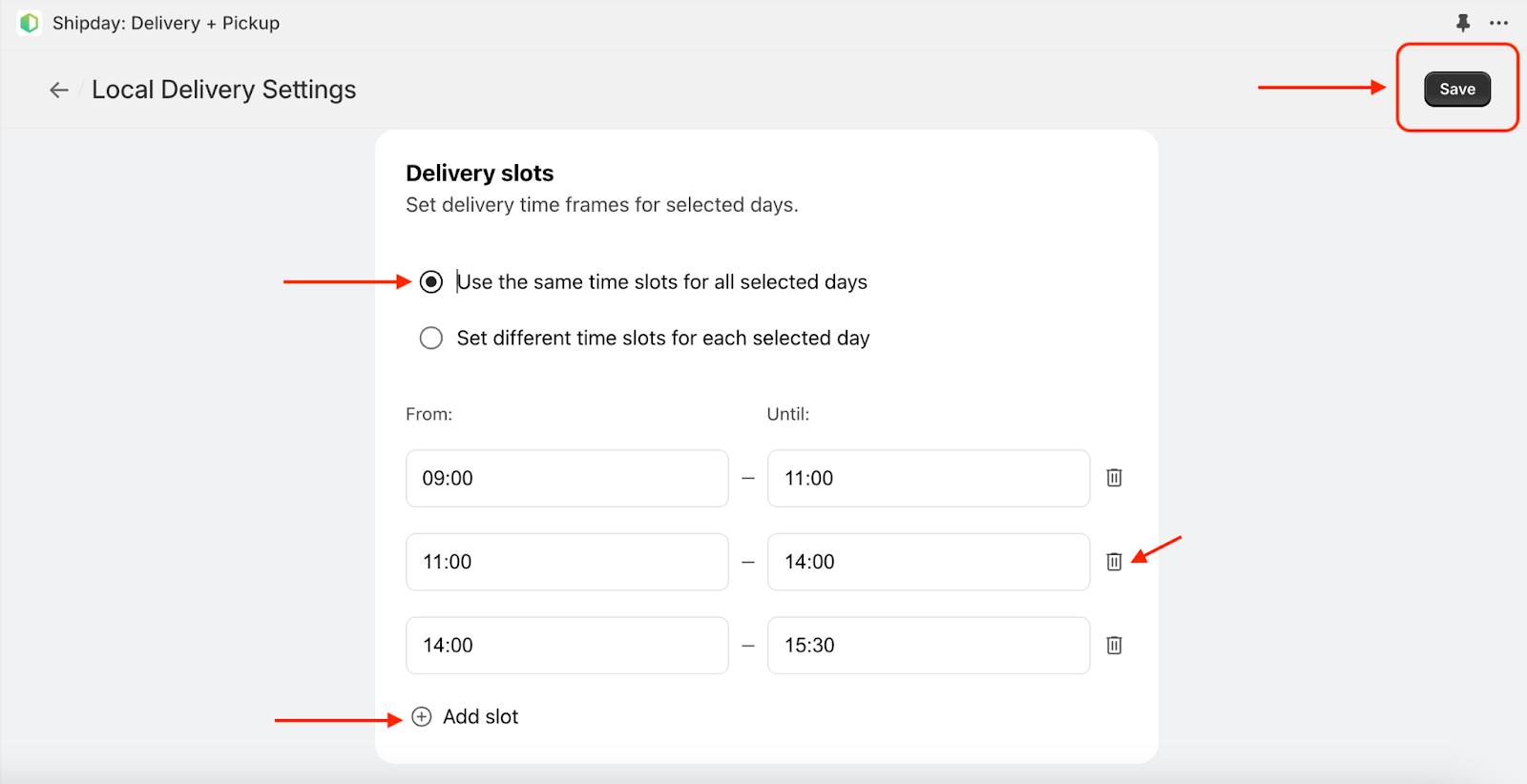
Same Slots: Configure the same slots for every available day by clicking “Use the same time slots for all selected days”. You can add new slot and delete an existing slot like below image
Different slots in different days: Configure the different slots for different available days by clicking “Set different time slots for each selected day”. You need to configure slots for every available day separately:
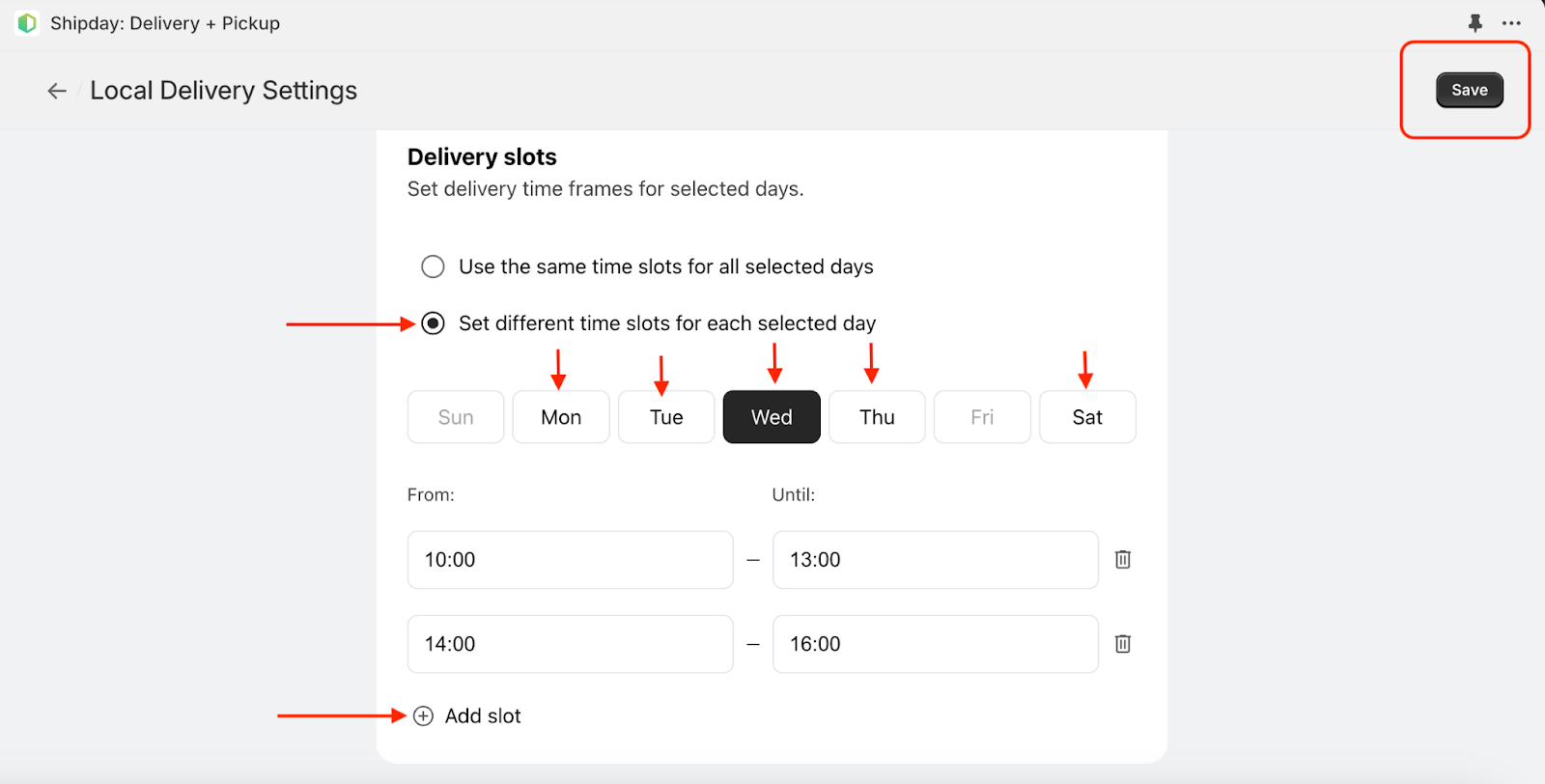
Don’t forget to click “Save” button at right top corner to save your delivery configuration
Need help? Email support@shipday.com